Dizzy v5.4.8: a smoother creator experience and smarter updates
Dizzy v5.4.8 brings refined profiles and feeds, clearer dashboards, more reliable messaging and live tools, and a new System Updates page for future signed releases. Here is what changes and how to prepare your upgrade.
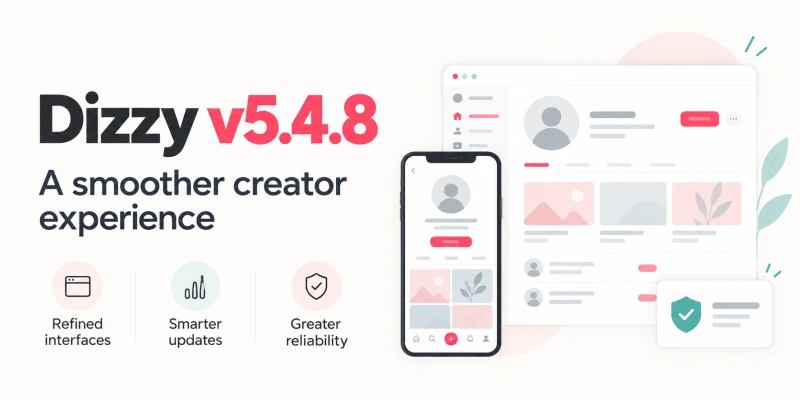
Dizzy v5.4.8 brings a more consistent experience to the places your members, creators, and administrators use every day. Profiles, the home feed, dashboards, settings, messaging, and live tools all receive attention, alongside a new System Updates page that prepares your website for future supported signed releases.
The release includes 106 documented changes. The aim is practical: clearer controls, fewer layout problems across screen sizes, and more dependable handling of uploads, earnings, notifications, and updates.
A more consistent experience for your community
Member profiles now make better use of the available space, with panoramic cover images, more balanced actions, and a clearer Highlights section. Avatar and cover cropping also preserves the image position when saved and handles reopening the editor, cancelled selections, and failed uploads more reliably.
On the home feed, a compact story rail, better grouped publishing controls, and more consistent sidebar widgets help keep attention on content. The audience menu remains selectable above the fixed sidebar, and empty feeds provide useful Create New and Explore actions.
Creator, community, and agency directories receive more consistent filters, cards, and navigation. Member settings, the account menu, and the refreshed registration page follow the same direction, with more deliberate spacing and improved behavior across desktop, tablet, and mobile. Light and night themes remain part of that work.
Clearer navigation and more useful dashboards
Administrators can find settings more easily with menu search that understands labels and section context. Keyboard navigation, clearer search feedback, and an independently scrolling sidebar make larger menus easier to use.
Dashboard improvements go beyond appearance. User and post totals display as whole numbers, chart range controls work independently, and empty charts retain their axes and legends instead of looking broken. Creator earnings calculations use eligible income records and the stored subscription dates, with clearer distinctions between gross revenue, revenue shares, and creator net earnings.
A new foundation for future updates
The new System Updates page gives administrators a dedicated place to check future stable releases and upload a signed update bundle when remote download is unavailable.
Before an update begins, compatibility and preflight checks examine the server environment, storage, version requirements, package integrity, and local core-file conflicts. The workflow includes file and database backups, staged file installation, migration tracking, resumable jobs, and update history. Signed-package checks reject unsupported or altered bundles before application files are changed.
Important: this new updater is introduced by v5.4.8 for subsequent supported signed releases. Moving from v5.4.7 to v5.4.8 still requires the manual files-and-SQL process described in the included README.
More dependable messages, live tools, and notifications
Message attachments stay with the active conversation, the file chooser opens correctly, and failed or unsupported uploads return clearer feedback. Allowed attachments use a consistent responsive renderer. Paid message unlocks also receive protection against duplicate charges from repeated or simultaneous requests.
Live streaming improvements address mobile Poll and Q&A panels, chat controls, dialog sizing, and keyboard handling. The broadcaster's OBS control room starts remote playback muted to reduce local echo, while the active stream is excluded from its own suggestions.
Other fixes cover OneSignal subscription handling, video posts without poster images, marketplace paragraph formatting, and affiliate rewards. Referral credits use the configured Affiliate Settings value, while server-side validation and atomic balance transfers strengthen the handling of affiliate earnings.
Prepare your v5.4.7 to v5.4.8 upgrade
Use the update guide included with your v5.4.8 package as the source for the installation steps:
- Start with a complete backup. Back up your website files and database, confirm your current version is v5.4.7, and review any customizations before replacing files.
- Apply the update files and SQL. Follow the README for
UpdateSQL/updateSQL5.4.8.sqlandUpdatedFiles/. Preserve your installation-specificincludes/connect.php. Never import the fresh-install SQL into an existing website. - Review custom translations. Bundled language files include 332 new keys since v5.4.7. Use the README language list to add missing keys to custom translations without changing their key names or placeholders.
- Complete the post-update checks. Follow the README checks before reopening your website, including the features your community relies on and their light, night, and mobile layouts.
The update SQL adds the required tables and updates the version marker while retaining existing settings, members, balances, payments, referrals, and historical records. Fresh installations have their own clean SQL and must follow the fresh-installation path.
Explore the full release
This announcement highlights the changes you are most likely to notice. For the complete list of improvements, fixes, and upgrade notes, read the Dizzy v5.4.8 changelog, then follow the README included with your update package.
Was this update useful?
Use this area to save the article, share it with your team, or leave focused feedback.
Comments