Dizzy v5.4 Update: Site Themes, Communities, Blog Tools, Messaging, and OBS/RTMP Support
Dizzy v5.4 introduces the new Site Theme infrastructure, expanded community and blog management tools, creator messaging updates, admin diagnostics, customization improvements, and LiveKit-based OBS / RTMP ingest support.
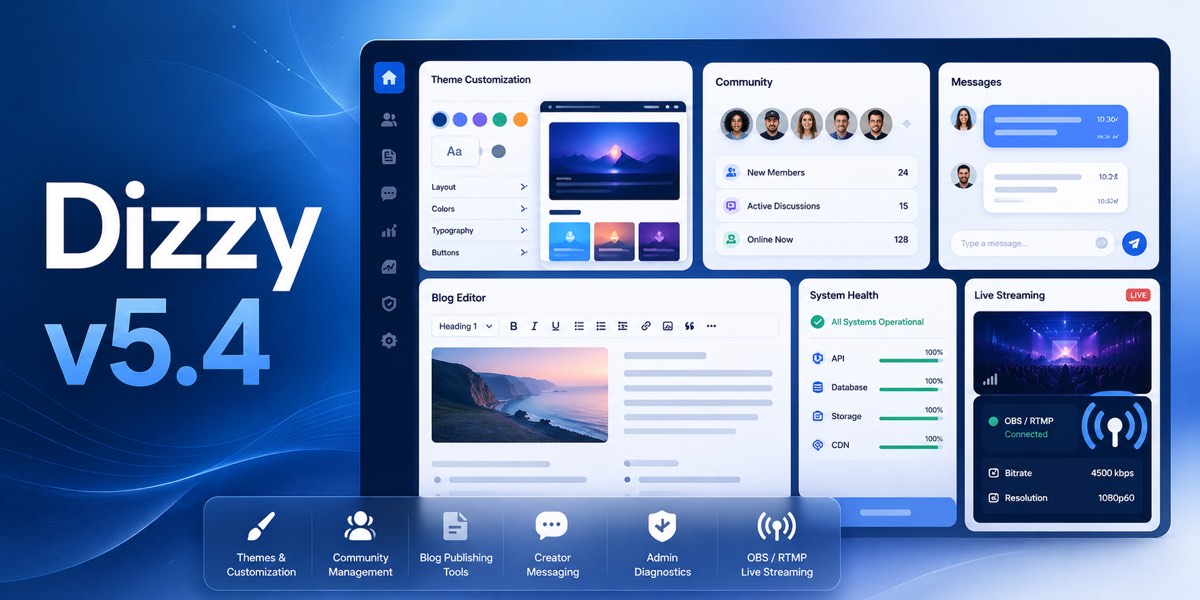
Dizzy v5.4 introduces a broad set of updates for site customization, community management, blog publishing, creator communication, admin diagnostics, and live streaming workflows.
This update is designed for installations already running v5.3.9. Before applying the update, site owners should back up their files and database, then run the included UpdateSQL/updateSQL.sql file as described in the update guide.
New Site Theme Infrastructure
Dizzy v5.4 adds a new Site Theme infrastructure with manifest-driven theme discovery, parent fallback chain support, theme-aware view resolution, and theme asset resolution.
The admin panel now includes a Site Theme management page where administrators can validate, preview, and activate frontend themes. The package also includes a bundled testTheme example child theme to demonstrate the new theme system.
Community Management Updates
This release expands community administration with category management, translation support, slug handling, and moderation controls.
- Admin community category management with create, update, disable, and delete controls.
- Per-language community category translation management for titles and descriptions.
- Community slug management with reserved-slug protection, stricter validation, automatic generation, and duplicate fallback handling.
- Community Leaderboard with all-time, last 30 days, free, and paid filters.
- Admin-side controls to deactivate or reactivate user-created communities.
Blog System Improvements
Dizzy v5.4 adds several blog publishing and management features. Blog comments now support registered-user posting, deletion handling, per-post control, and a global admin enable or disable setting.
Blog categories and tags can now be assigned from the admin panel, with public filtering by category or tag. The update also adds homepage blog spotlight support, configurable item limits, and blog content ad placements with top, inline, and bottom slots through Ads Manager integration.
Direct blog video upload support has been added to the admin editor, including in-post playback for supported formats and manual video poster assignment for custom thumbnails.
Creator Messaging Tools
Creators now have access to bulk messaging campaigns with follower or subscriber targeting, optional media attachments, locked-message pricing, and queue status tracking.
Creator auto messages also support optional media attachments and attachment removal controls.
Admin Diagnostics and Email Tools
The admin email settings now include a CSRF-protected Send Test Email action with real delivery checks and actionable feedback.
Scheduler heartbeat and health reporting have also been added, including last started, last finished, last successful run, and worker-state diagnostics. Limits and health reporting now make upload limits, stale scheduler state, and worker issues easier to diagnose from the admin panel.
Customization and Content Handling
Dizzy v5.4 adds configurable missing-content behavior with admin-controlled real 404 rendering or homepage redirect support. Missing or unavailable post detail routes now respect this global behavior consistently.
The update also adds Pushr Sonic object storage as a separate admin-manageable S3-compatible storage provider, expanded custom color controls, and safe limited rich-text support for posts and community posts.
Moderation, Badges, and Account Linking
Admin and moderator staff badges have been added with global admin control and theme-aligned profile and post rendering.
The admin user moderation detail screen has been improved with a redesigned action console, account signals, risk snapshot, moderation history, and authentication event presentation. Quick moderation presets are available for age hold, 24-hour suspension, 7-day suspension, and account ban.
Google and Twitter social account linking has been updated with persistent provider identity records and safe lazy migration for existing social-login users. The update also fixes Google and Twitter re-login failures after username changes by resolving accounts through provider identity or verified email before falling back to legacy social username matching.
LiveKit OBS / RTMP Ingest Support
Dizzy v5.4 adds LiveKit-powered OBS / RTMP ingest support for live streams. This includes per-live stream keys, ingest lifecycle cleanup, and creator-side source selection.
Creators can use an OBS control room with ingest status polling, refresh controls, stream-key regeneration, and browser non-publishing behavior while OBS sends the media feed.
Administrators also receive an OBS / RTMP ingest status control. This feature is available only when LiveKit is selected as the live streaming provider.
Update Notes
Dizzy v5.4 should be applied only on top of v5.3.9. The bundled MySQL/dizzyv5.4.sql and UpdateSQL/updateSQL.sql files include the required v5.4 database changes, including the OBS / RTMP schema changes.
If you maintain custom language files, frontend templates, themes, CSS, or JavaScript files, review and merge the new changes carefully before going live.
Was this update useful?
Use this area to save the article, share it with your team, or leave focused feedback.
Comments